research, visual designs prototype, wire-framing, user test
figma, protopie, photoshop
1 month(june- july 2023)
YouTube is a video-sharing platform that allows users to upload, share, and view a wide variety of videos. With billions of users, over the years, it has become a significant part of online culture, hosting content ranging from entertainment and education to vlogs and tutorials. As a student and user, I have gained a lot from YouTube and want to contribute to the community.
Through discovery, I noticed that other students use their phones to learn from YouTube. However, a common challenge they face is difficulty taking notes while trying to stay focused on the video which end up ruining their learning experience and make them feel unmotivated. so i thought
"How might we make it easy for mobile YouTube learners to take note and enhance their learning experience"
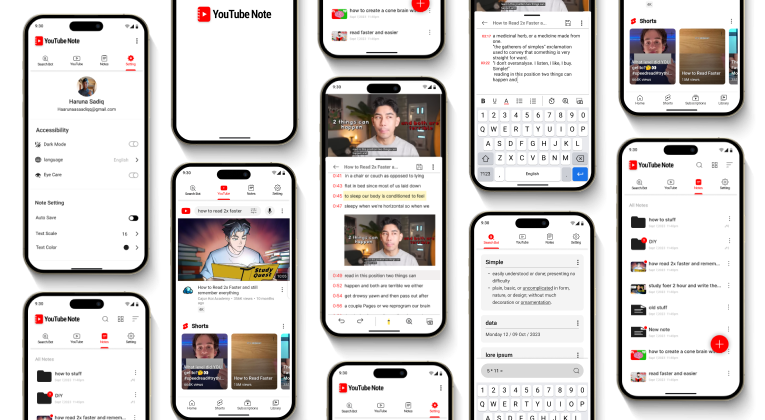
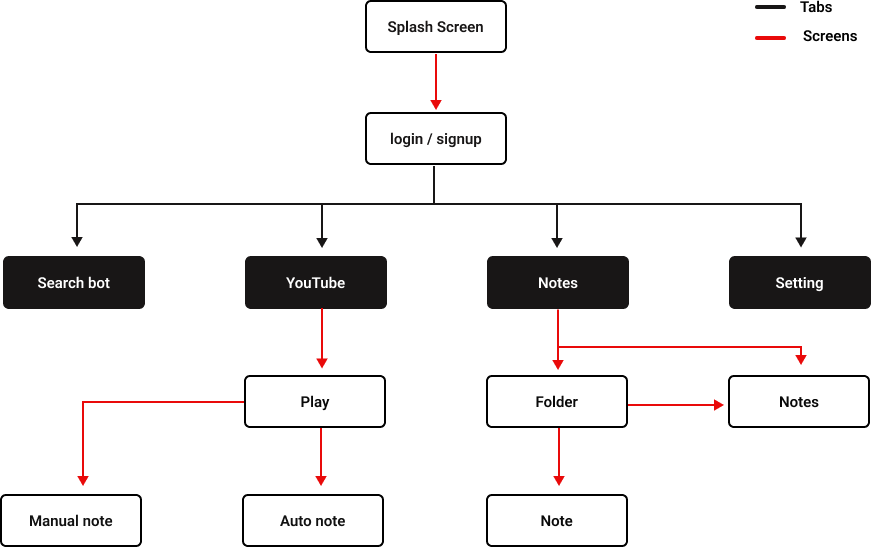
YouTube-Note app is an intuitive tool that allows users to easily take notes while watching YouTube videos. Users can manually type their notes or utilize the auto-transcription feature. The app also includes a quick search bot to enhance the learning experience and a note organization feature for easy access to and management of notes
1. YouTube is strictly made for creating and consuming content.
2. My end users are on mobile.
3. There are a lot of solutions for desktop.
4. The few mobile solutions are constrained, and some are not intuitive."



To better understand the user problems and struggles, I observed them in their context and conducted interviews. This allowed me to empathize with them and gain insights into their pain points."



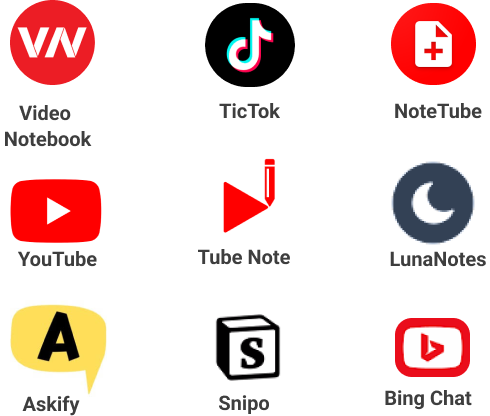
Through my research, I identified commonly used competitor apps mostly desktop solutions due to the limited availability of mobile options. I conducted investigations on the apps to understanding their current solution offerings, how they cater to users, and pinpointing gaps in their solutions.
In addition, to gain insights into users' experiences with competitor apps, I thoroughly reviewed user feedback. This process helped me identify specific pain points, app limitations, and gaps, providing valuable information to address and enhance these aspects in my own solution.
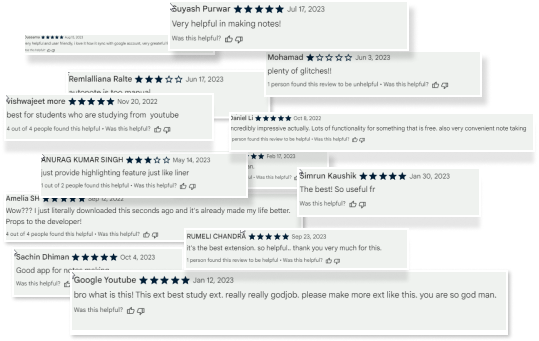
I explored blogs and online articles to gain insights into how others users use YouTube as learners and to assess the significance of the problem

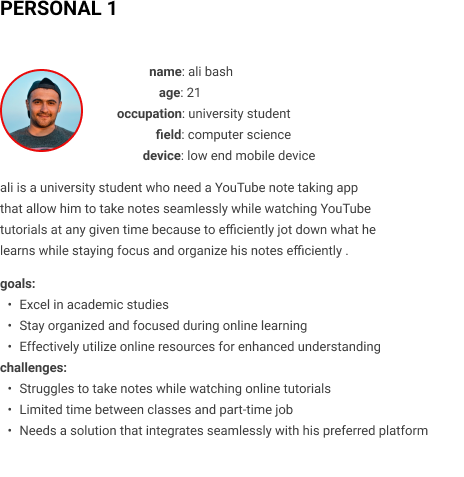
After analyzing and synthesizing data, I created two personas that resonate with the ideal primary users. This process has provided me with a clear focus on addressing the users' needs, pain points and challenges.Additionally, these personas serve as a reference point for decision-making throughout the design process, ensuring that choices align with user expectations and requirements.


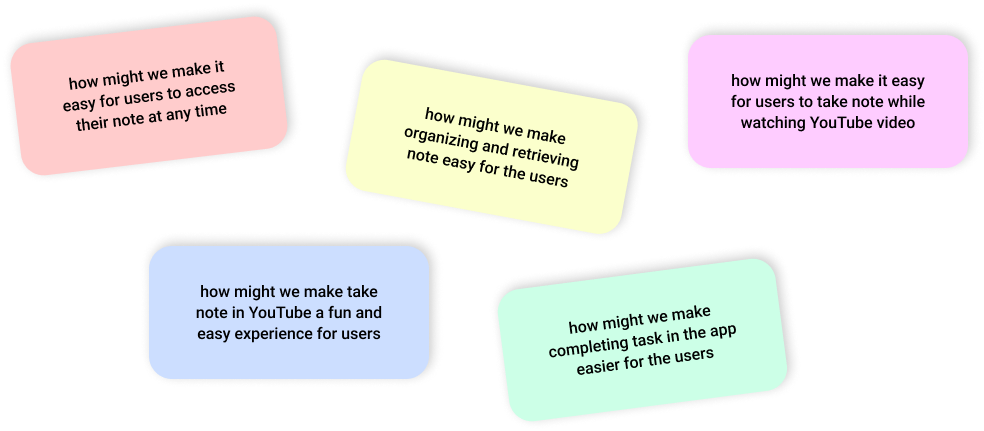
during brainstorm ideas i created few HMW statement to help translate problem in to opportunities and to encourage me to think and generate ideas from a different perspective.
i explore other competitors app for inspiration and spend a lot of time iteration sketch looking for efficient ways that i could address the end users need with my design ideas


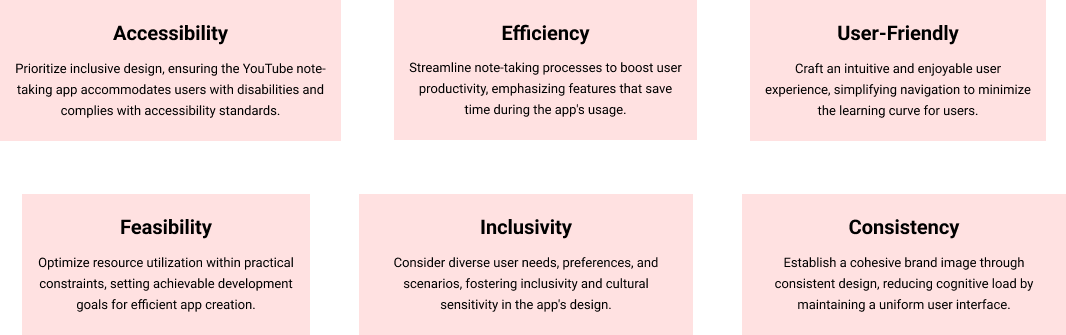

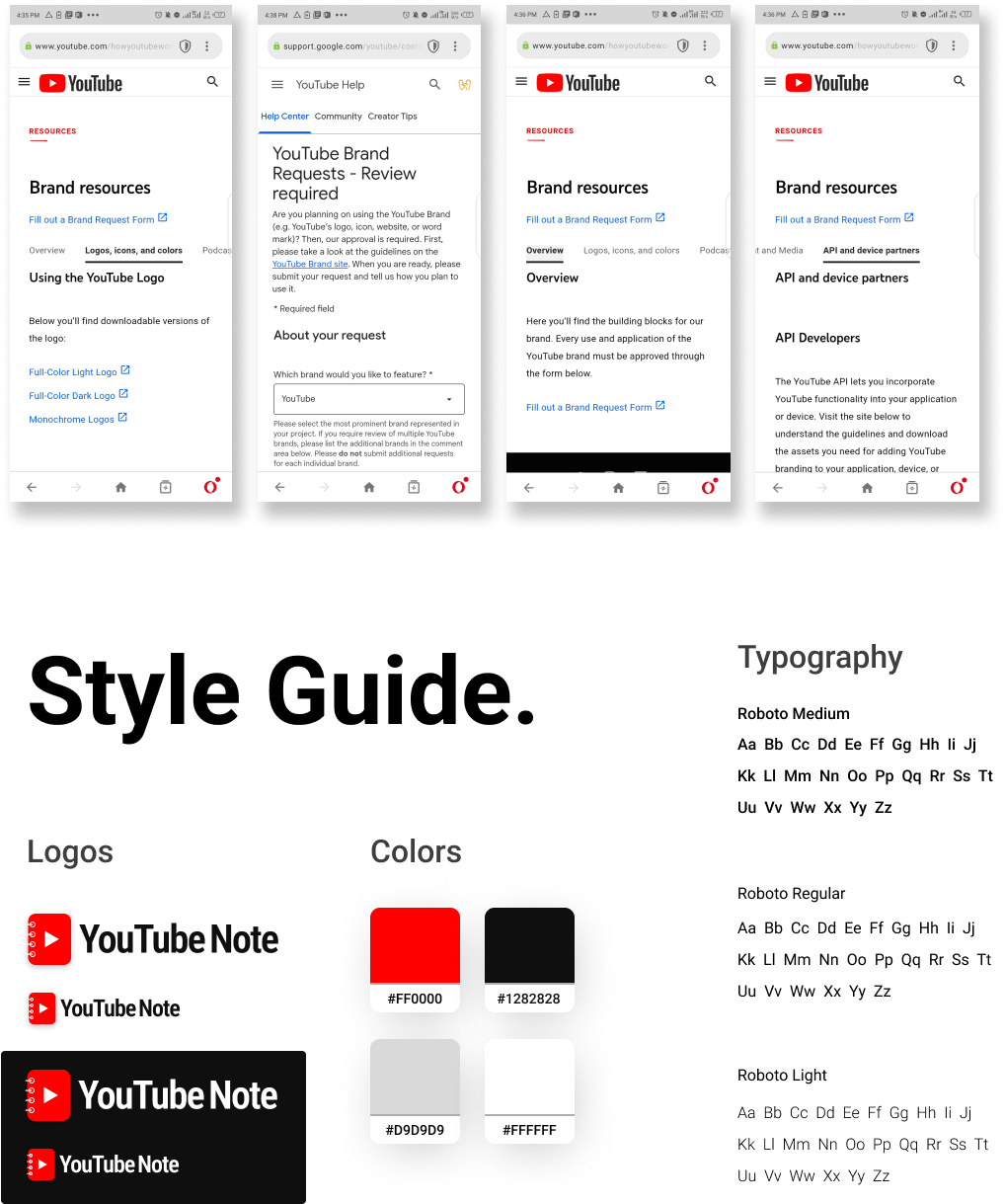
"I tried to keep the app design consistent with the YouTube brand to not disturb users' mental models and make the app feel like users are using YouTube but with extra features catered towards learners."

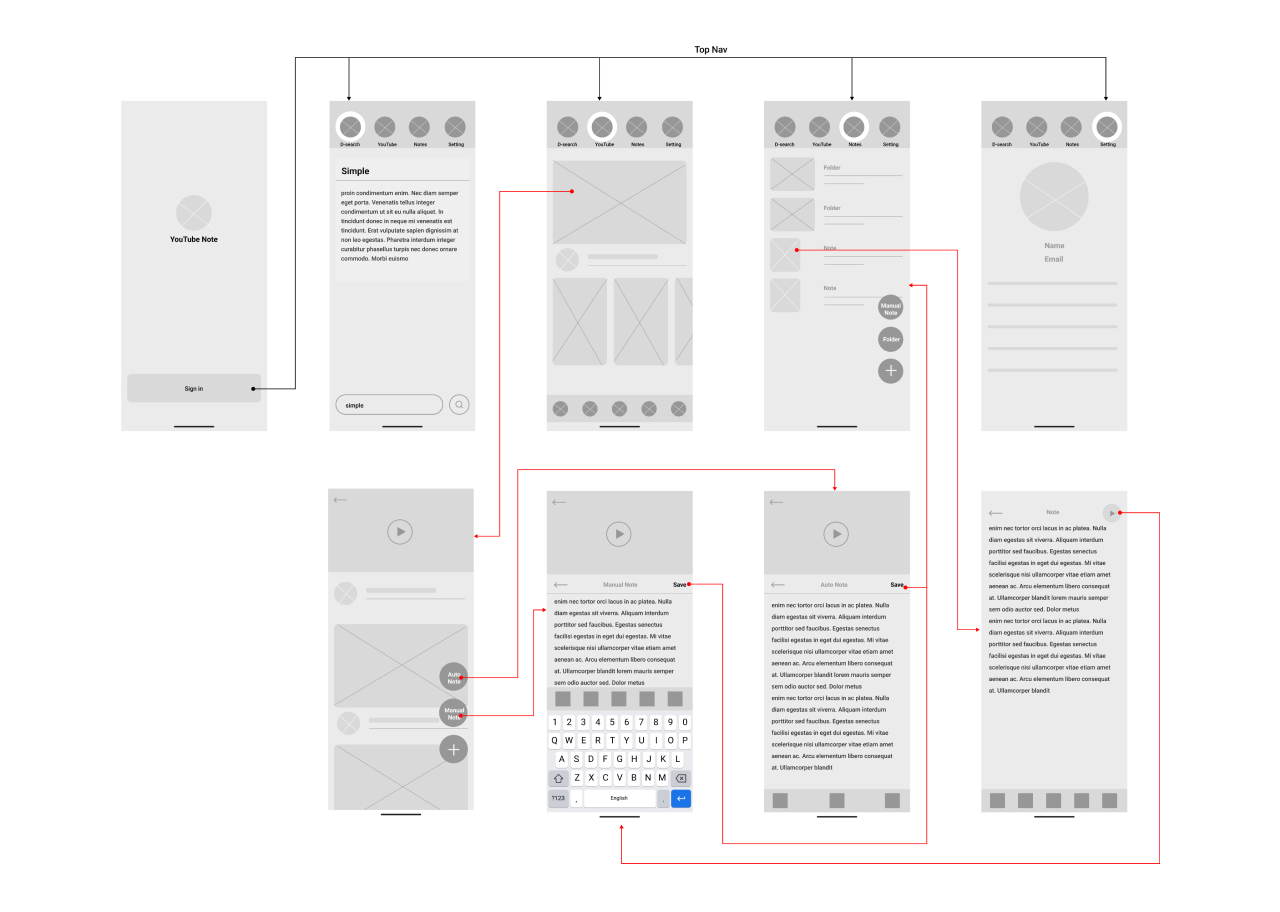
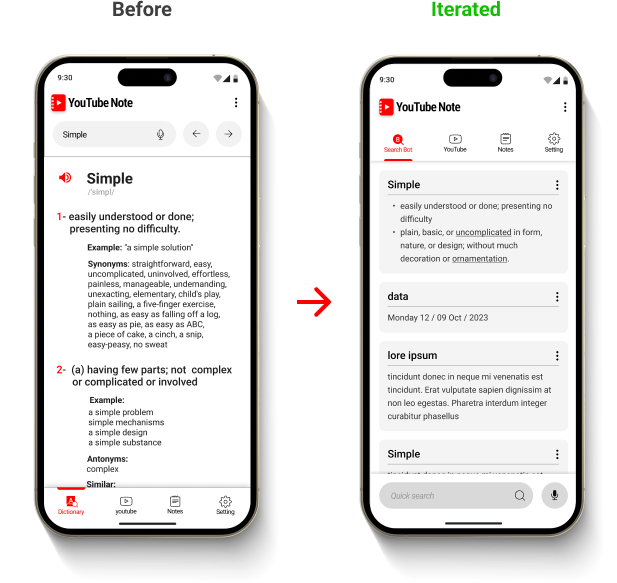
"Through A/B testing, I discovered that users experienced confusion when navigating the app due to having two navigation bars at the bottom. The top navigation was found to be more intuitive for app navigation.

i found that users desired more flexibility in their search capabilities to answer various questions, I iterated on the design and The solution involved integrating an AI search bot to enhance search flexibility and better cater to users' diverse information needs.
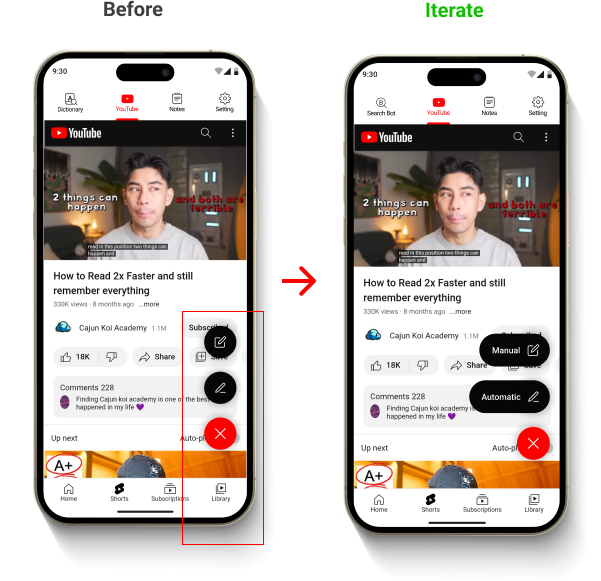
Users were getting confused between selecting the manual note icon and the auto note icon. To alleviate this confusion, I added names to the icons, making it easier for users to identify them.
Users suggested adding video thumbnails as note covers to enhance accessibility and make notes more easily identifiable.

First-time users are welcomed with a splash screen and a Google sign-in logo, which allows them to log in with their Google account to the app and automatically sync with their YouTube account within the app.

The section allows users to access all YouTube tabs and use other app features only when needed."

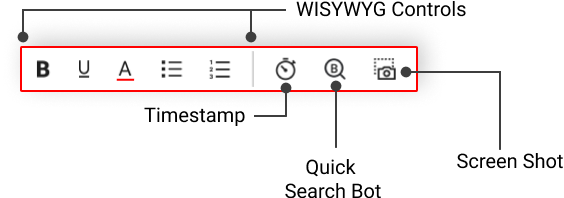
This feature enables users to manually take notes while having access to other features, including timestamps, taking screenshots, quick search, and WYSIWYG controls.
It allows users to take notes by saving the complete video transcription as a note or highlighting specific parts of the transcribed video. Users also have access to additional features such as taking screenshots and utilizing a search bot.
A learning enhancement feature enables curious YouTube learners to quickly search for information.

A notes organization feature allows users to easily organize their notes for quick access and retrieval.

Users can access notes both online and offline. Additionally, users have the ability to play back previous videos.

Settings with features that cater to user health, preferences, and accessibility considerations.

This was a fun and exciting project that I was really personate about and learned a lot to improve my design and problem solving skills because it was a real life problem face by individuals that i was able to solve to impact and make people life easier with my skills and solutions.
I plan on develop this project because I want to see it value and impact in has on the end users and improve it after ward by watch out for user reviews and feedbacks, conduct more interview and usability testing from a diverse users background to gain deeply understand my users problems, pain points and struggles from their perspective and align my solutions to cater for the their needs.